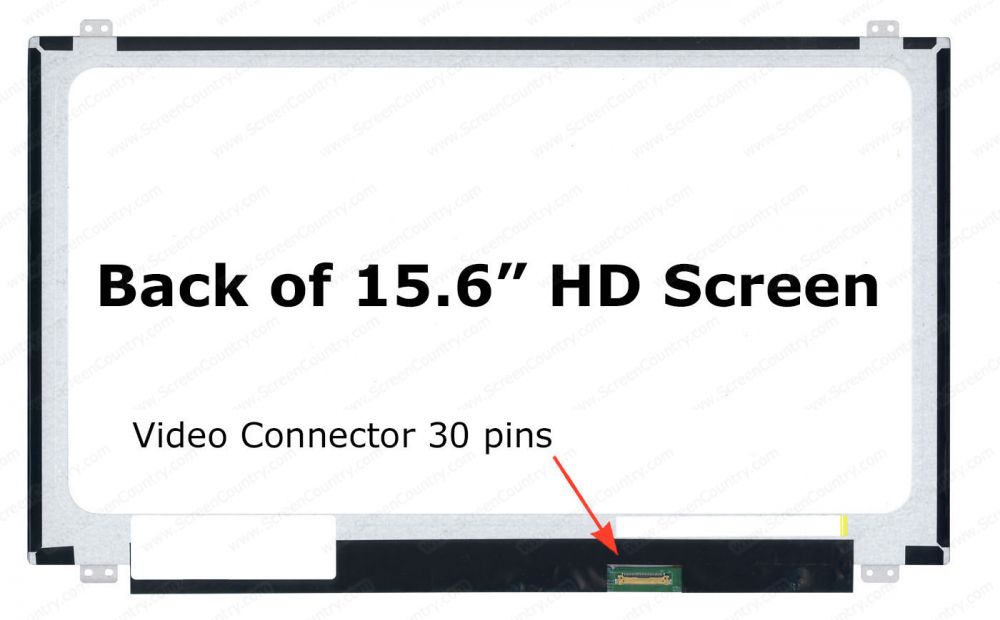
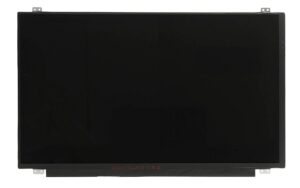
The Dell Inspiron 15 3576 3585 3583 Screen is a 15.6″ HD 1366×768 slim LED display featuring a 30-pin connector, offering clear visuals and reliable performance. It’s a perfect replacement for damaged or dim screens on compatible Dell Inspiron models.
The Dell Inspiron 15 3576 3585 3583 Screen is designed to deliver clear, sharp, and reliable visual performance for multiple Dell Inspiron laptops. Whether your screen is cracked, flickering, dead-pixel affected, or dim, this replacement display provides an efficient and long-lasting solution. Built with a slim LED panel, 30-pin connector, and HD 1366×768 resolution, it ensures compatibility and seamless installation for users needing a dependable laptop screen upgrade.
This replacement screen is fully compatible with several Dell Inspiron laptops and offers perfect fitting and identical performance to the original display. The models supported include:
Dell Inspiron 15 3576
Dell Inspiron 3585
Dell Inspiron 3583
Dell Inspiron 3580
Dell Inspiron 3541
Dell Inspiron 3542
Dell Inspiron 5558
Dell Inspiron 5559
The carefully engineered design ensures easy installation without modifying cables or frame brackets. If you are replacing your original display for the first time, the process remains simple because this screen uses the same 30-pin slim connector and thin bezel structure found in the supported Dell models.
For additional clarity on identifying your laptop model, you can refer to Dell’s official guide: https://www.dell.com/support
The Dell Inspiron 15 3576 3585 3583 Screen offers a blend of durability, brightness, and energy-efficient performance. Some of the top features include:
HD Resolution (1366×768)
The 15.6-inch HD display offers vivid color quality suitable for everyday use, including browsing, studying, streaming, and office work.
Slim LED Panel
The LED backlighting increases brightness while consuming less power compared to older CCFL displays. This ensures longer battery life and less heat generation.
30-Pin eDP Connector
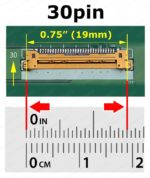
The screen uses a standard 30-pin connector widely used in modern Dell laptops, ensuring reliable signal transmission for crisp and stable picture quality.
Matte or Glossy Finish Options
Depending on user preference, this model is available in both matte (anti-glare) or glossy (vibrant reflection) finishes, making it suitable for indoor and outdoor environments.
If you want to understand how LCD/LED laptop panels work technically, you can explore this helpful technology overview: https://www.techopedia.com
This display replacement stands out because of its:
High durability and long lifespan
Consistent color accuracy and brightness
Perfect fit for multiple Dell Inspiron models
Budget-friendly yet premium visual performance
Energy-efficient LED technology
Whether you’re repairing your personal laptop or upgrading a customer’s device, this screen delivers optimal results without compatibility issues.
5. Final Thoughts
The Dell Inspiron 15 3576 3585 3583 Screen is a reliable, high-quality replacement that restores your laptop’s display clarity and functionality. With compatibility across several Dell Inspiron series, HD resolution, and a slim LED build, it ensures long-term performance at excellent value. If you’re looking for a dependable laptop display replacement, this model provides the perfect combination of quality, affordability, and durability.The Dell Inspiron 15 3576 3585 3583 Screen offers clear HD visuals, slim LED design, and reliable compatibility for multiple Inspiron models.

















 Courier delivery
 Secure Payment


Reviews
Clear filtersThere are no reviews yet.