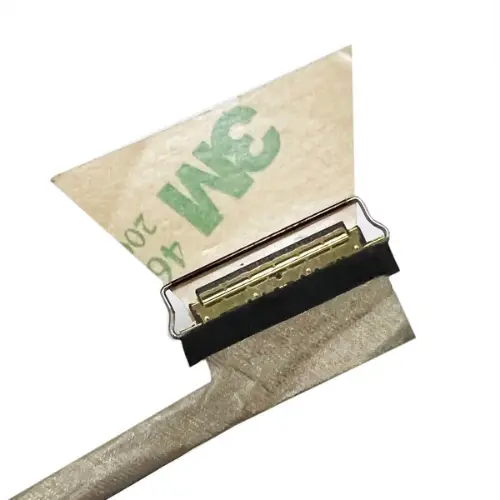
HP EliteBook 830 G5 830 G6 735 G5 /835 G6 LVDS Screen Display Video Ribbon Cable No-Touch 30 PIN
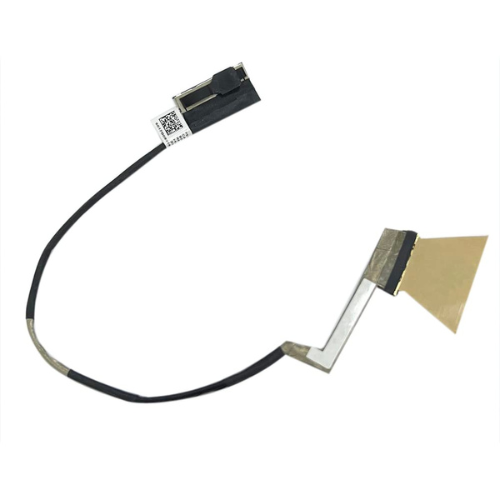
This HP EliteBook 830 G5/G6, 735 G5, and 835 G6 LVDS Screen Display Video Ribbon Cable (30-Pin, No-Touch) is a high-quality replacement cable designed to restore clear video output on your laptop. It ensures stable connectivity between the motherboard and display, providing reliable performance and compatibility for non-touchscreen models. Ideal for fixing flickering, no-display issues, or damaged ribbon cables.
HP EliteBook 830/835 LVDS Cable – 700-Word Description
The HP EliteBook 830/835 LVDS Cable is a high-quality internal display cable designed to restore smooth and stable video performance in compatible HP EliteBook laptops. This cable is engineered for users who require reliable screen output, uninterrupted signal transmission, and long-lasting durability. Whether your existing cable is damaged, flickering, or causing a blank display, this replacement provides a perfect solution to restore your laptop’s screen functionality to professional standards.
HP EliteBook 830/835 LVDS Cable Overview
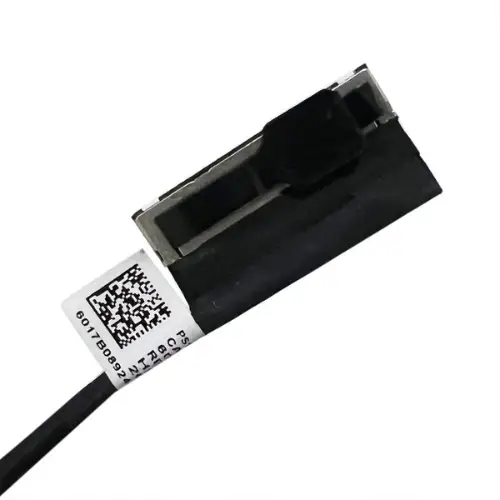
The HP EliteBook 830/835 LVDS Cable is designed specifically for HP EliteBook 830 G5, 830 G6, 735 G5, and 835 G6 non-touch models, ensuring a precise fit and smooth performance. It acts as the primary Laptop Display Connector between the motherboard and the LCD panel, making it one of the most important internal components for maintaining clear and stable visuals. Because the display relies on accurate signal transmission, a faulty cable can lead to flickering, lines on the screen, or no display at all. This LVDS cable eliminates such problems with a reliable, OEM-grade replacement part.
30-Pin Video Ribbon Cable Features
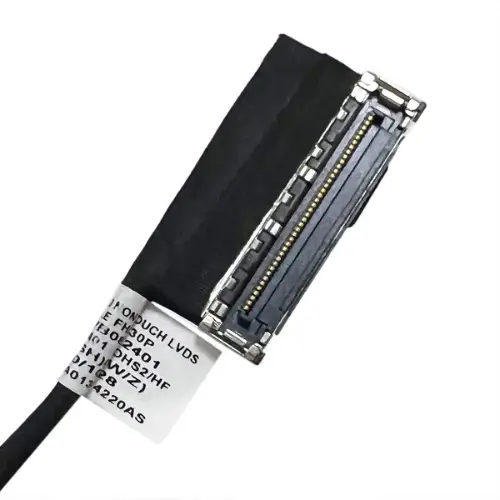
This 30-Pin Video Ribbon Cable is manufactured to support premium video quality and durable performance. The 30-pin design ensures compatibility with a wide range of business-class HP EliteBook screens. High-quality internal wiring minimizes interference, boosts clarity, and provides consistent signal flow. Because video signals require precision, even a slight tear or bend in the cable can cause disruptions—this new cable ensures clean, uninterrupted data transfer.
Users who want a dependable solution without replacing the entire screen will appreciate how efficiently this 30-Pin Video Ribbon Cable resolves display issues at a much lower cost.
No-Touch Screen Cable Compatibility
The No-Touch Screen Cable is specially designed for HP EliteBook models that use a non-touch LCD panel. Many EliteBook series laptops come in both touchscreen and non-touch variants, and using the correct cable type is essential for compatibility. This No-Touch Screen Cable ensures an accurate and secure connection for devices without a digitizer panel, supporting optimal screen brightness, contrast, and stability.
For users unsure about model compatibility, HP documentation and support pages (https://support.hp.com) provide official reference information.
Benefits of Using an HP EliteBook Replacement Cable
Choosing an HP EliteBook Replacement Cable ensures your device operates at peak display performance. This upgraded cable provides multiple benefits:
– Clears flickers, black screens, and random visual glitches – Restores full communication between motherboard & display – Offers strong durability for frequent screen opening/closing – Costs significantly less than replacing the entire display – Ensures professional-grade clarity for business and daily use – Prevents future problems caused by loose or damaged connectors
Because many screen issues are caused by worn-out or damaged cables, installing an HP EliteBook Replacement Cable often resolves the problem instantly and restores the laptop to perfect working condition.
Laptop Display Connector Installation
The Laptop Display Connector installation process is straightforward for users familiar with laptop repairs. The steps generally involve:
Removing the bottom cover
Disconnecting the battery for safety
Detaching the old Laptop Display Connector
Connecting the new HP EliteBook 830/835 LVDS Cable to both the motherboard and screen
Testing the display before reassembling the laptop
For step-by-step help, users may refer to trusted repair resources like iFixit (https://www.ifixit.com), which offer detailed guides for many HP EliteBook models.
If you’re unsure or uncomfortable performing internal laptop repairs, professional installation is recommended to avoid accidental damage.
Why This HP EliteBook 830/835 LVDS Cable is the Best Choice
The HP EliteBook 830/835 LVDS Cable stands out due to its durability, compatibility, and signal reliability. It ensures premium display quality, better screen responsiveness, and stable long-term usage. With a strong build and precision-engineered connectors, this 30-Pin Video Ribbon Cable offers excellent longevity for students, office professionals, and corporate users who rely on high-performance HP EliteBook systems.
For additional product verification, you can also explore trusted suppliers such as Newegg (https://www.newegg.com), which list compatible HP laptop parts and technical specifications.










 Courier delivery
 Secure Payment




Reviews
Clear filtersThere are no reviews yet.